
Tracking S-corp owner draws in a spreadsheet means you catch the K-1-versus-W-2 problem in April, not in real time — and by then the numbers are already locked into a return you'll spend hours amending. Set up Relay's sub-accounts and bookkeeping rules against your S-corp payroll process and every distribution tags itself the moment it clears, so your 2026 books already match what your accountant needs at filing time instead of what you reconstruct from bank statements in March.
- Relay s-corp owner draw tracking works by routing distributions into a dedicated sub-account, separate from the account that funds W-2 payroll.
- Bookkeeping Rules in Relay auto-tag every transfer as Shareholder Distribution or W-2 Wages so 2026 K-1 reconciliation takes minutes, not a weekend.
- Skip this setup and the reasonable-compensation test becomes a manual reconstruction project every filing season.
- Syncing Relay to QuickBooks Online pushes the split into your books nightly instead of at year-end.
Why this matters
An S-corp shareholder who also works in the business has to be paid a reasonable W-2 salary before taking any distribution. The IRS treats a mismatch here — big draws, thin or zero wages — as a flag worth a look, because distributions skip the 15.3% combined FICA/Medicare hit that wages carry.
Most owners know this in theory and still run both payments out of one operating account, which means the bookkeeper has to reverse-engineer which transfer was which at year-end. Pairing payroll software built for S-corp owners with a Relay account structure that separates the two flows fixes this at the source instead of at reconciliation.
Before you start
- An active Relay business checking account tied to your S-corp's EIN, plus admin access to create sub-accounts and automation rules.
- A payroll provider already running your officer wage, since Relay routes and tags money — it doesn't calculate or withhold payroll taxes.
- The gotcha: don't let owner draws hit your Operating account and get swept out before payroll runs for the period. Fund payroll first, then transfer the remainder to the draw sub-account — reversing that order is the single most common reason a bookkeeper finds a distribution posted before the matching wage in the same month.
Set up your Relay sub-accounts
- Log into the Relay dashboard and click + New Account from the Accounts screen.
- Name one sub-account "Owner Draw – Distributions" and a second "Payroll Reserve." Leave your primary Operating account as the only place daily revenue and expenses touch.
- Under Account Settings, restrict debit card issuance on the Owner Draw account if more than one shareholder pulls from it — one card per shareholder keeps the audit trail clean.
- Confirm both sub-accounts show a zero balance and appear in your left-side account list.
Expected result: two dedicated sub-accounts sit alongside Operating, and nothing outside a scheduled transfer or manual move should ever post directly into either one.
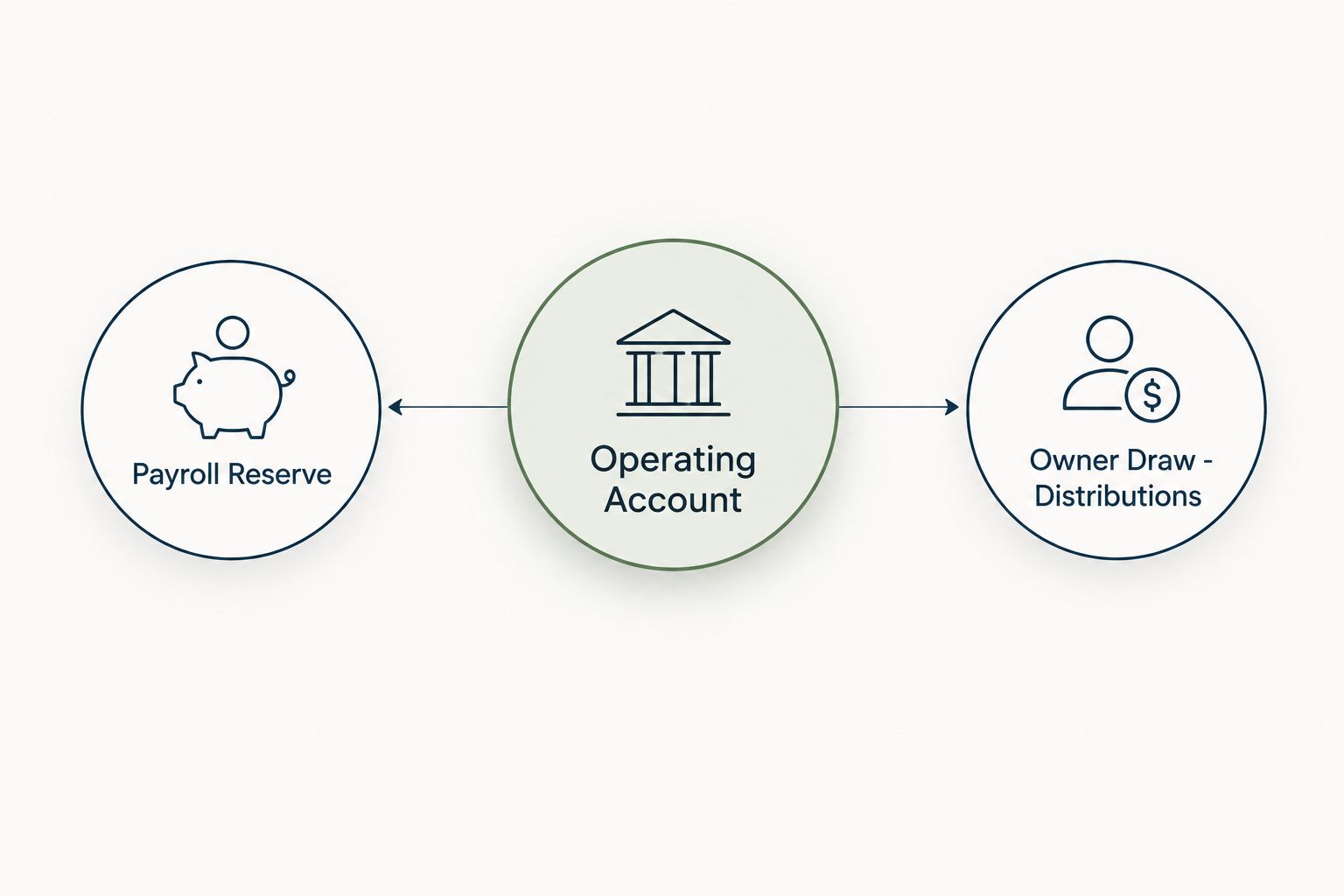
Configure automatic transfer rules
- Go to Accounts > Automations and click Create Rule.
- Set the trigger to a balance threshold you define in Operating — once revenue clears that line, the rule fires.
- Set the transfer destination to "Payroll Reserve" first, sized to cover the next payroll run.
- Create a second rule that sweeps any remaining balance above your threshold into "Owner Draw – Distributions" on a weekly or monthly cadence.
Expected result: payroll funding always moves before distribution funding, and neither transfer needs you to log in and push a button.
Tag every transaction for the K-1 vs. W-2 split
- Open Bookkeeping Rules from the left navigation.
- Create a rule: any outbound transfer from "Owner Draw – Distributions" gets tagged Shareholder Distribution.
- Create a second rule: any transfer into "Payroll Reserve" gets tagged W-2 Wages.
- Apply both rules retroactively to the current quarter so your 2026 books stay consistent from January forward.
Expected result: every dollar that moves through either sub-account carries its own label before it ever reaches your bookkeeper, matching K-1 Box 16 against W-2 Box 1 without manual sorting.
Second variant: sync to QuickBooks for real-time books
If you're already reconciling in QuickBooks Online, the same sub-account structure feeds it automatically instead of waiting for a manual import.
- In Relay, go to Integrations and connect QuickBooks Online.
- Map "Owner Draw – Distributions" to an Equity account labeled Shareholder Distributions in your chart of accounts.
- Map "Payroll Reserve" to your Payroll Liabilities or Payroll Clearing account.
- Set the sync frequency to daily.
Expected result: your QuickBooks books show the current draw-versus-wage split every morning, which is exactly what a business bank account built for LLC and S-corp owners should be doing in the background instead of forcing a manual export.
Troubleshooting
- A distribution posts as an expense instead of equity. The Bookkeeping Rule mapped to the wrong chart-of-accounts category — check the rule's destination field, not just the tag name.
- Draws are showing up before payroll runs for the same period. Your Automation trigger order is backward. Payroll Reserve funding must trigger before the Owner Draw sweep, every time.
- QuickBooks sync shows a one-day lag. Force a manual refresh from Integrations — this is a Relay-side sync delay, not a data error, and it clears on its own within 24 hours.
- Two shareholders pull from one Owner Draw sub-account and K-1 allocations don't match ownership percentage. Split into one sub-account per shareholder; a shared account makes percentage allocation a manual calculation every quarter instead of an automatic one.
Customize your workflow
Once the draw-versus-wage split runs on its own, the next gap is usually officer compensation documentation — the paperwork that shows the IRS how you arrived at a reasonable salary figure in the first place. The officer compensation compliance workflow covers that piece, including how to document the salary-setting process so a 2026 audit inquiry has an answer ready instead of a scramble.
Get your draw setup reviewed
A same-week look at whether your S-corp split holds up under a reasonable-comp test.
FAQ
What is relay s-corp owner draw tracking?
It's a bank-level setup where Relay sub-accounts and Bookkeeping Rules separate S-corp shareholder distributions from W-2 payroll wages automatically. Every transfer tags itself as either a Shareholder Distribution or W-2 Wages the moment it posts, matching your K-1 and W-2 without manual sorting.
Does Relay calculate payroll taxes for S-corp owners?
No. Relay routes and tags money between sub-accounts but doesn't run payroll or withhold taxes — that still runs through a payroll provider. Relay's job is keeping the two money flows separate and labeled once payroll has already calculated the wage.
How much salary do I need to pay myself before taking S-corp distributions?
The IRS requires a reasonable salary for the work performed before any distribution, but there's no fixed dollar figure or ratio in the tax code. Distributions with little or no matching W-2 wages are the pattern that draws scrutiny in 2026 the same way it did in prior years.
Can I use one Relay sub-account for multiple S-corp shareholders?
You can, but it forces manual allocation math when K-1s get prepared. A separate Owner Draw sub-account per shareholder keeps each person's distributions matched to their ownership percentage automatically.
Is Relay better than tracking S-corp draws in a spreadsheet?
For real-time accuracy, yes — a spreadsheet only reflects reality when someone updates it, while Relay's Bookkeeping Rules tag transactions the moment they clear. Relay wins for owners who want their books current every day rather than reconstructed once a quarter.
Does this workflow sync with QuickBooks Online?
Yes. Relay's Integrations panel connects to QuickBooks Online and pushes tagged transactions in on a daily sync, so the Owner Draw versus Payroll Reserve split shows up in your chart of accounts without a manual import.
What happens if I take a distribution before running payroll for the period?
It creates a timing mismatch that a bookkeeper has to untangle at reconciliation, and it's the exact pattern that undermines a reasonable-compensation defense. Fund the Payroll Reserve sub-account first, then sweep the remainder to Owner Draw.
One last thing
The reasonable-compensation test has no bright-line ratio in the tax code, which is exactly why an automatic paper trail matters more than a defensible number — a 2026 audit inquiry asks how you set the salary, not just what it was. Owners who can point to a consistent Relay-tagged history of payroll funding before distribution funding have an answer ready. Owners who can't are reconstructing intent from bank statements months after the fact.